


Aplicación
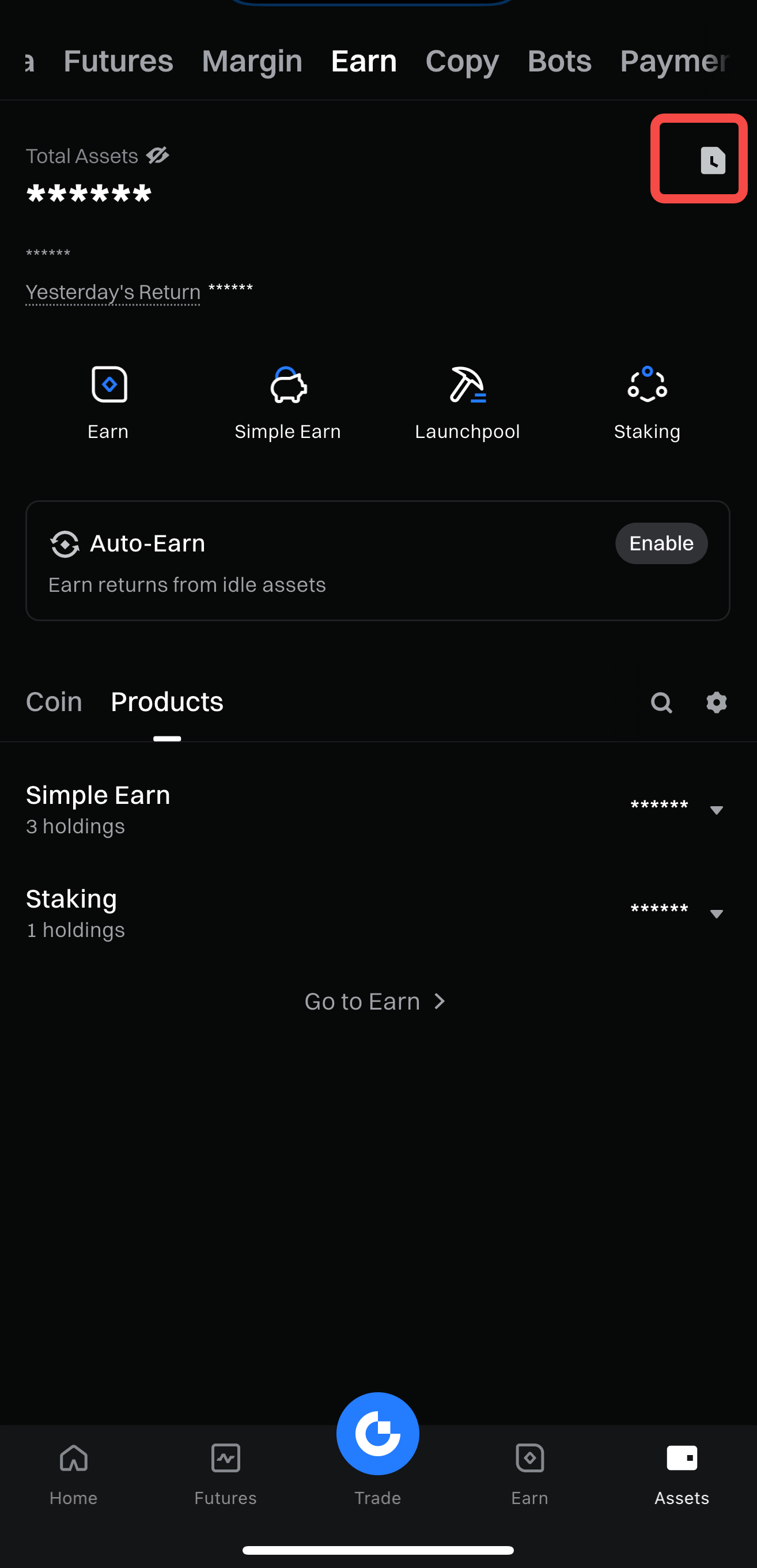
Paso 1: Ve a [Activos] - [Earn] - Pulsa el icono de Historial.
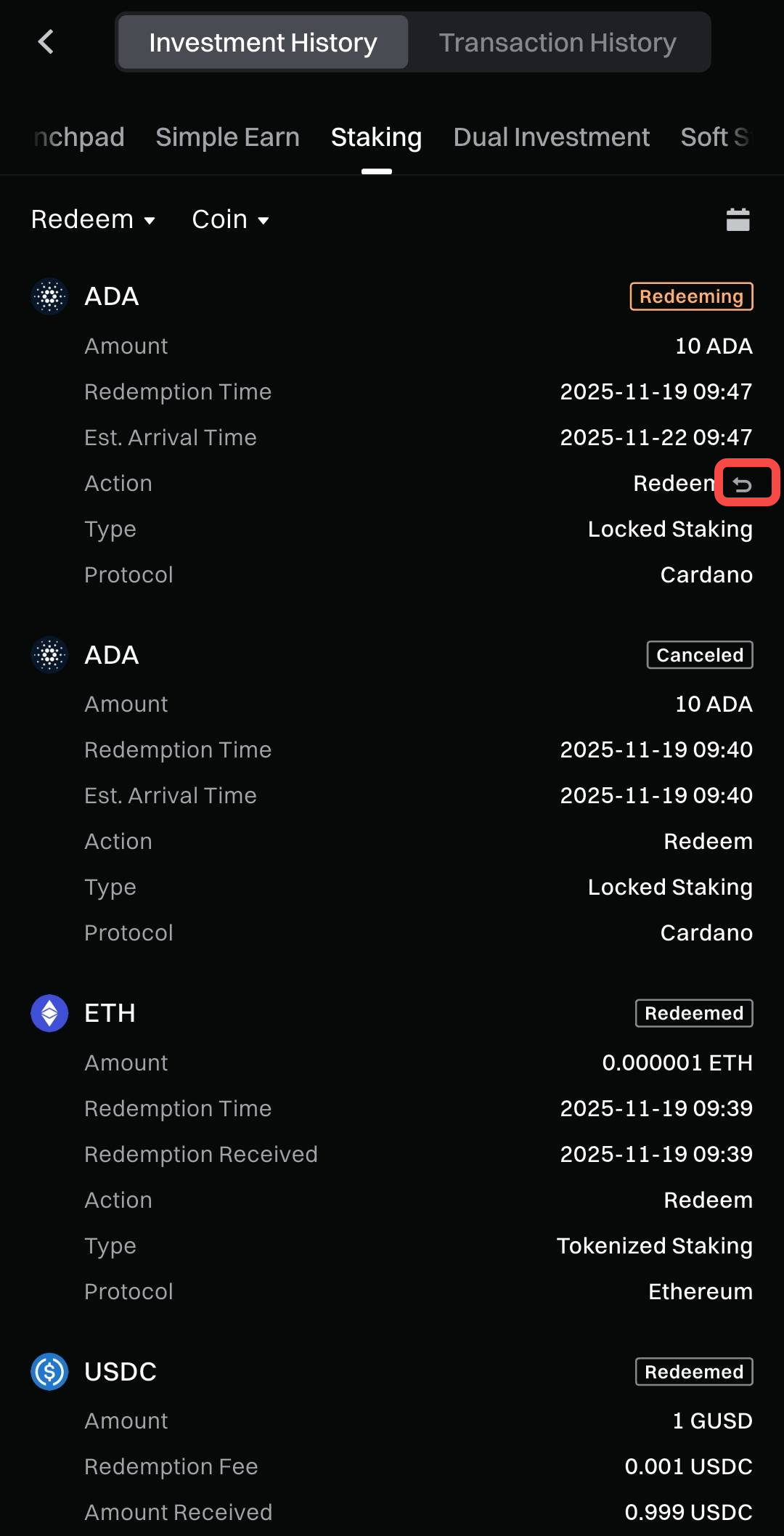
Paso 2: En [Historial de inversiones] - [Staking], pulsa el icono [Revocar].
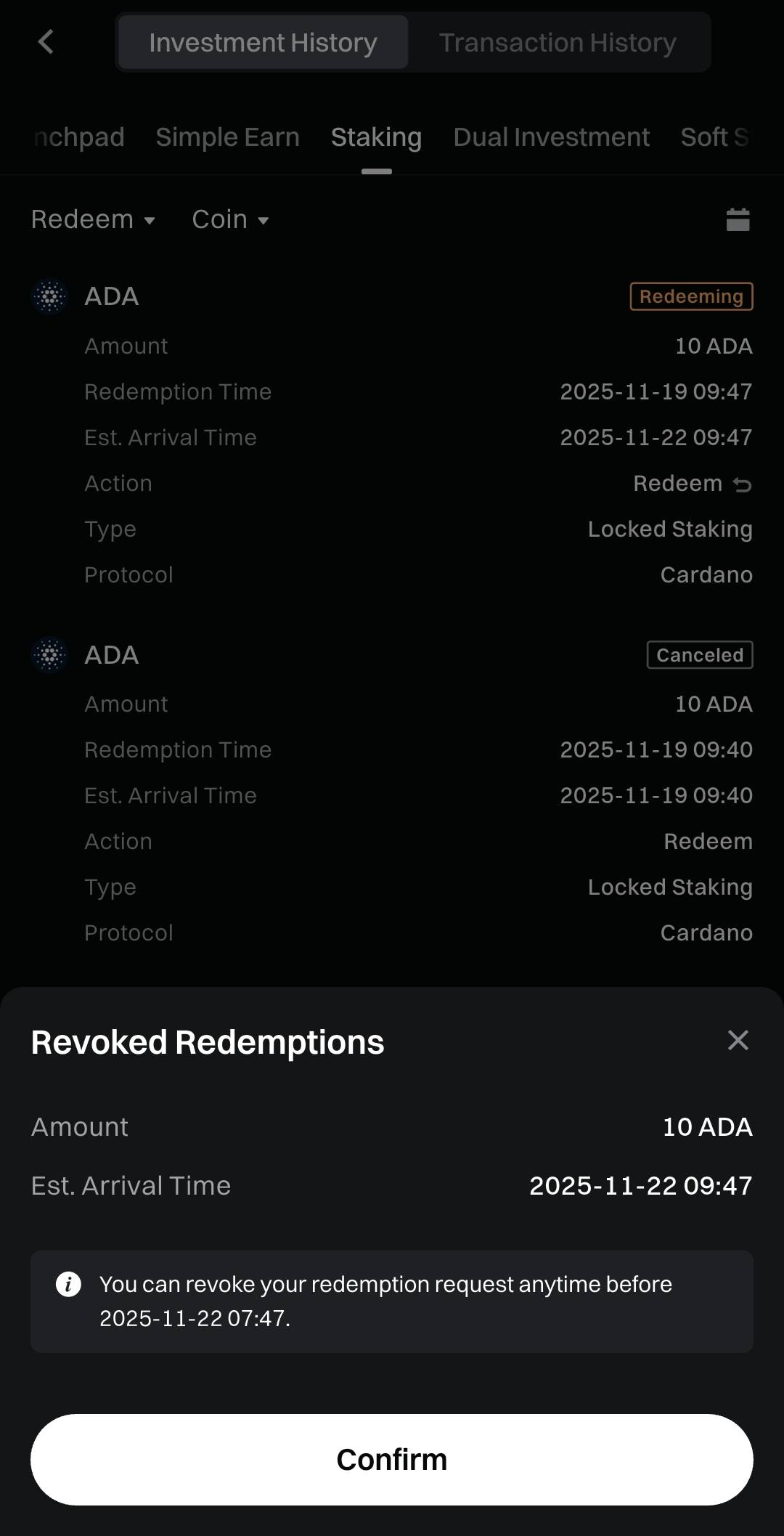
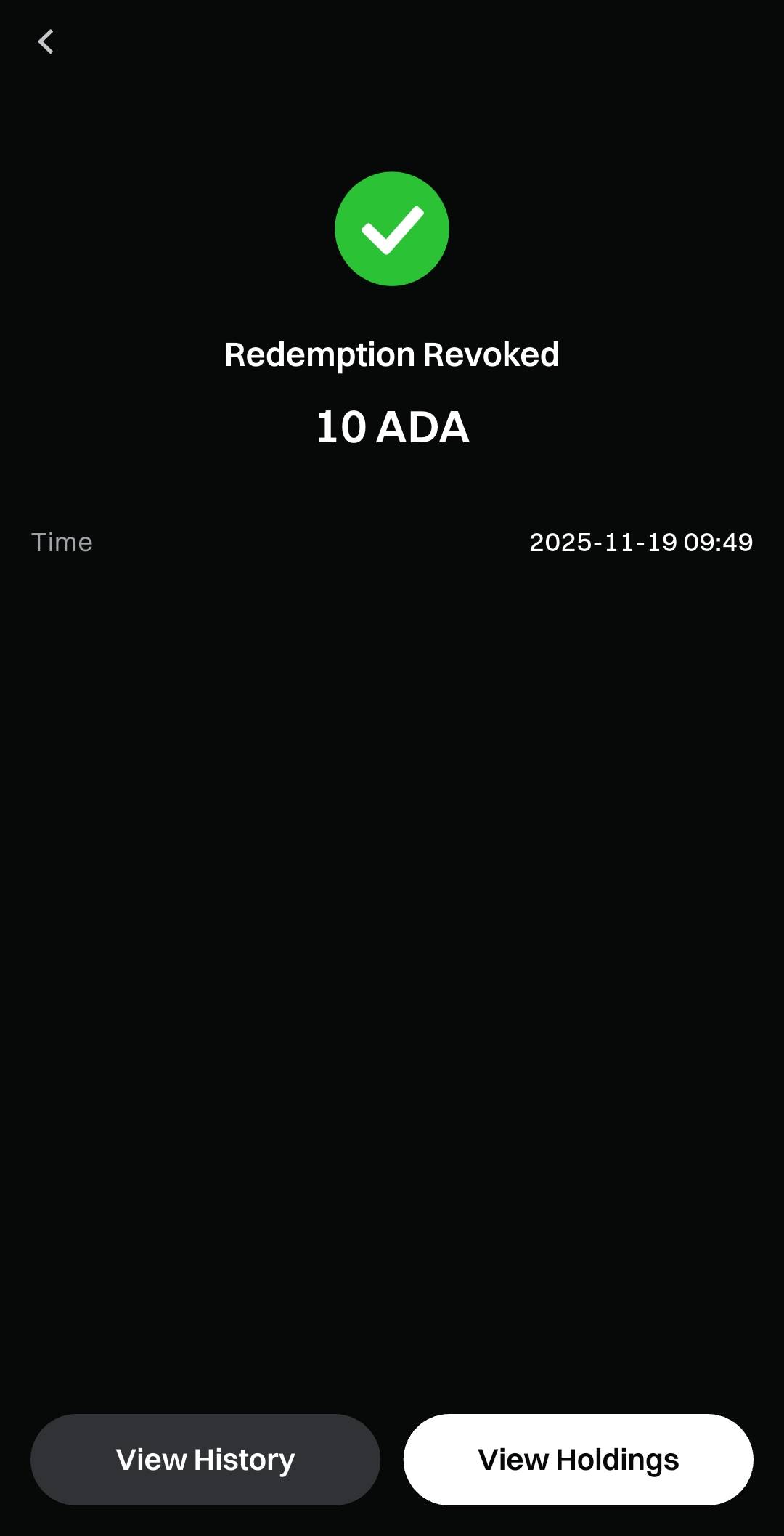
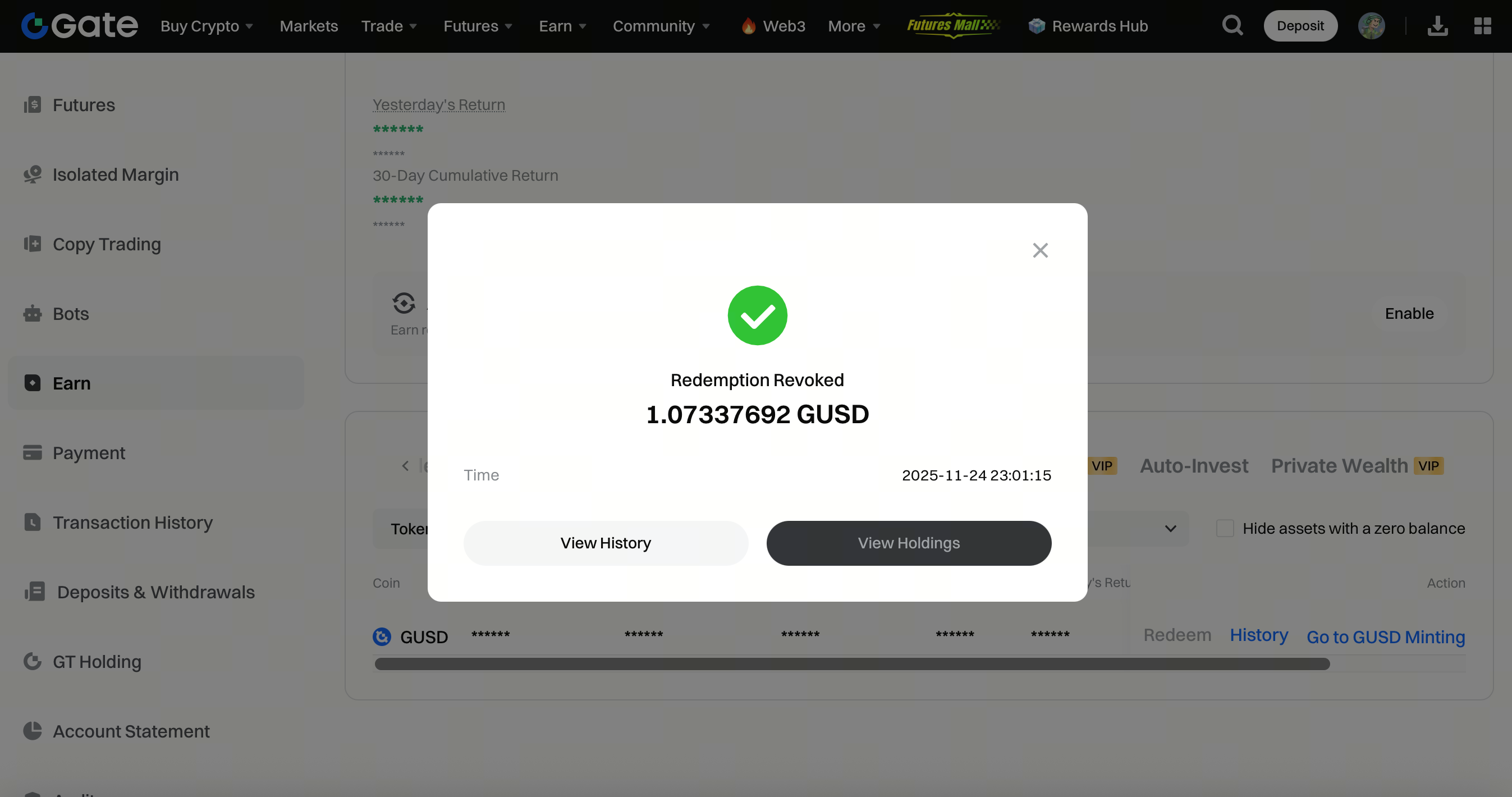
Paso 3: Pulsa [Confirmar]. El canje se cancelará correctamente.
Web
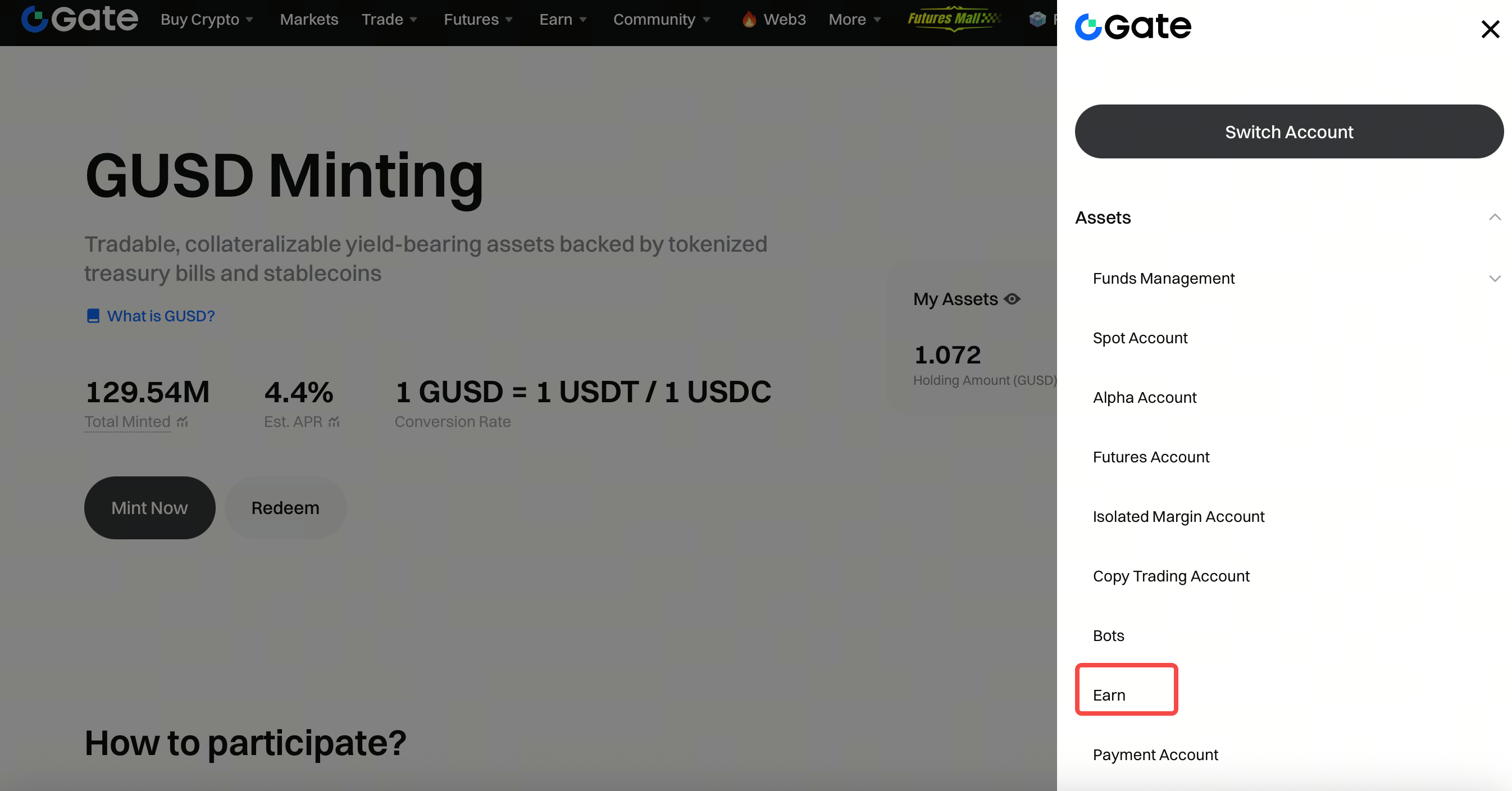
Paso 1: Haz clic en tu avatar - Activos - Cuenta de Earn.
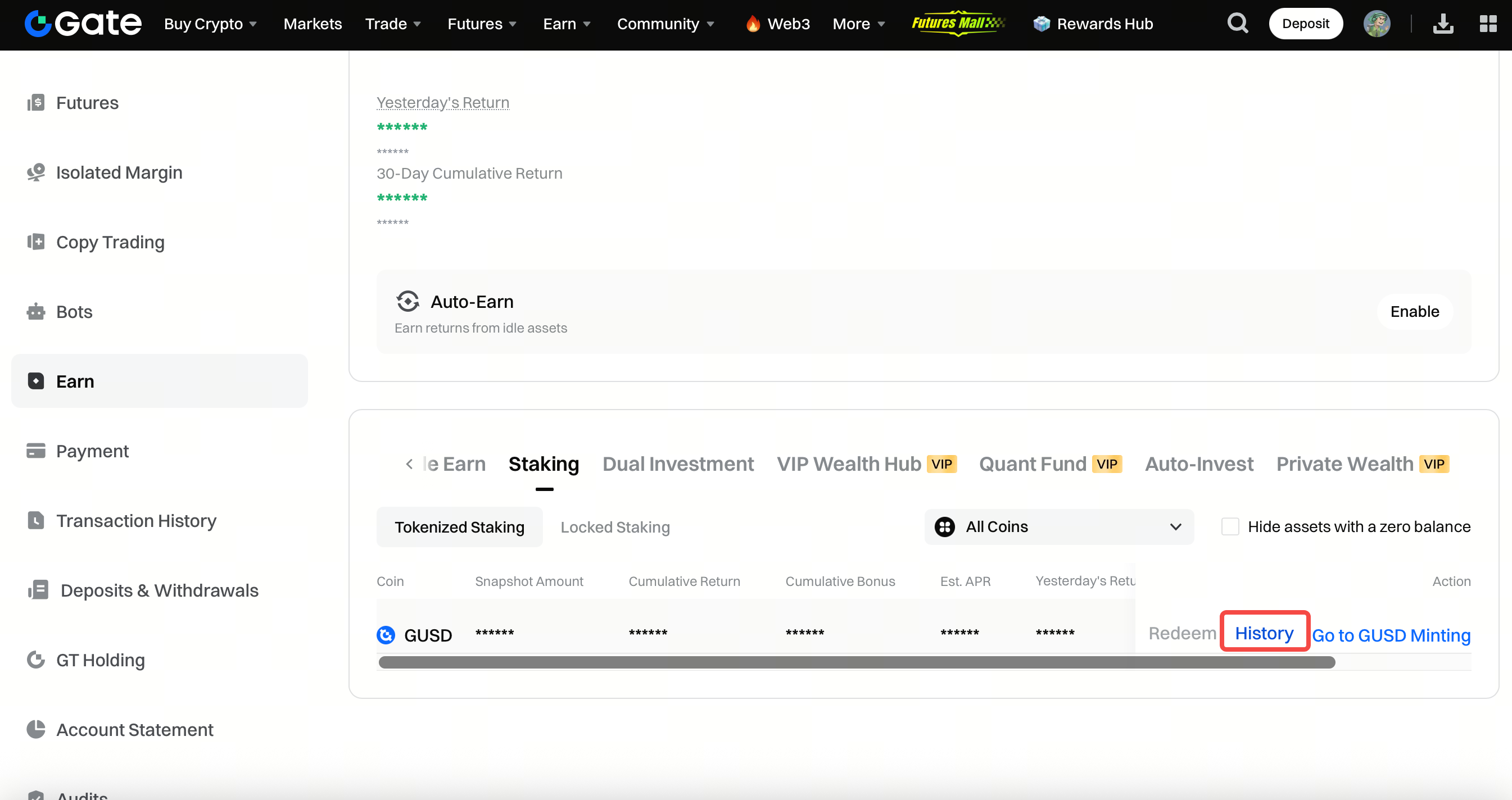
Paso 2: Ve a Staking - Historial.
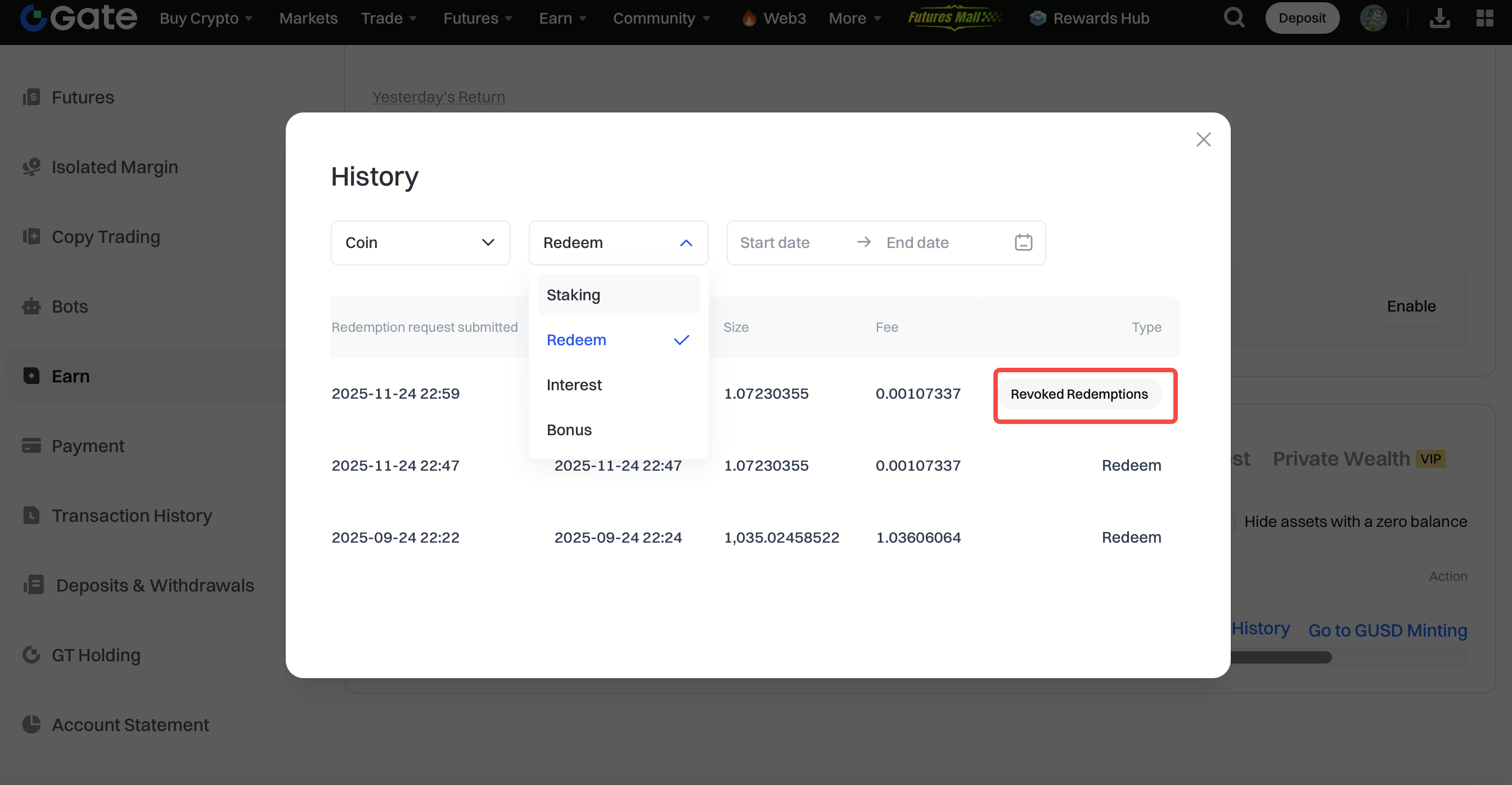
Paso 3: Haz clic en Canjear - Revocar canjes.
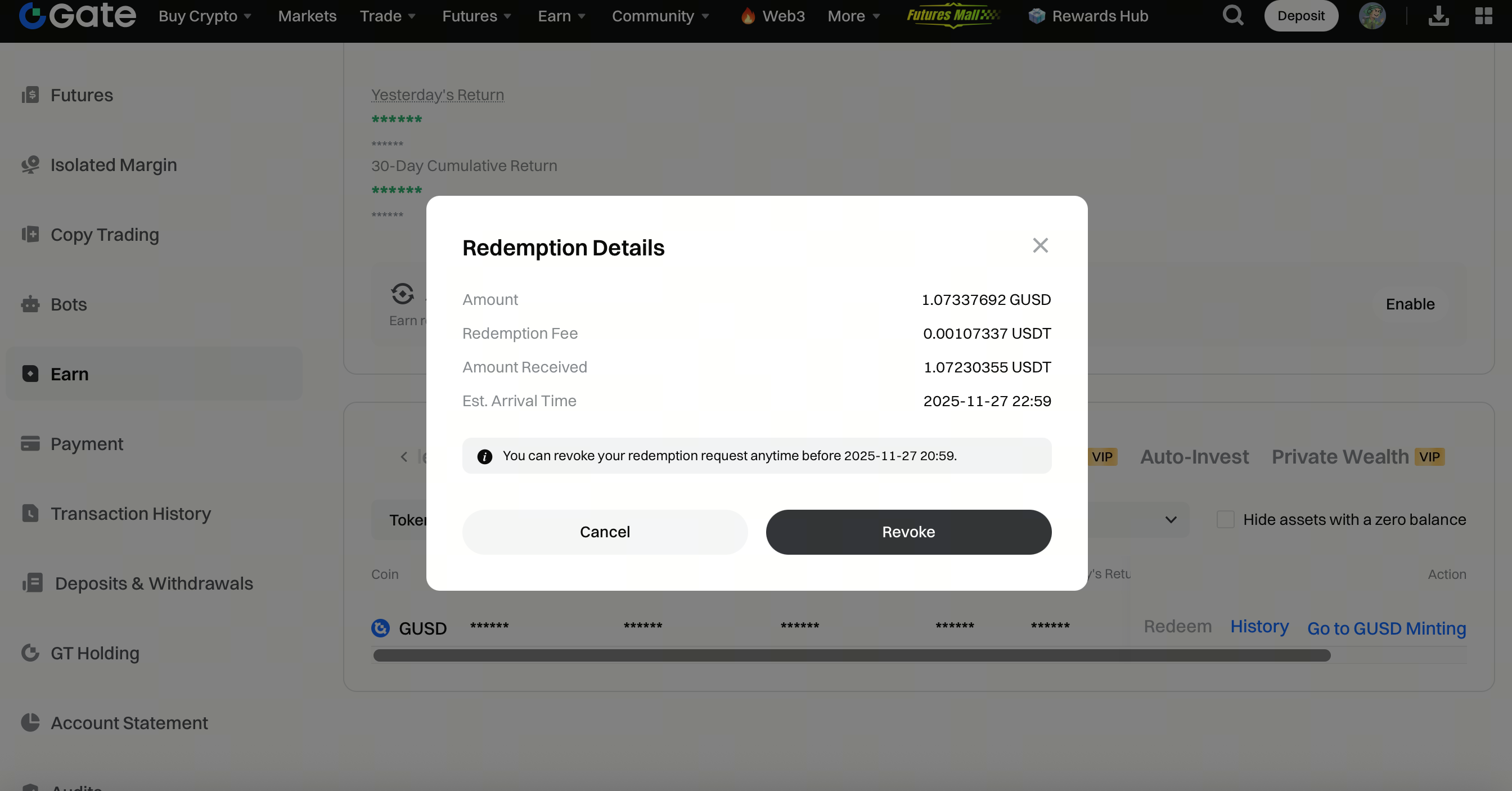
Paso 4: Haz clic en Revocar. El canje se cancelará correctamente.
El contenido aquí proporcionado es solo para fines de referencia y educativos, y no constituye asesoramiento financiero, de inversión, comercial ni legal, ni constituye una oferta o solicitud para comprar o vender activos digitales. Gate no realiza declaraciones ni garantías, expresas o implícitas, sobre la exactitud, integridad o actualidad de la información contenida en este documento. Las características del producto, interfaces, normas y estructuras de tarifas pueden actualizarse o modificarse en cualquier momento. Consulta los comunicados más recientes y la información que aparece en la plataforma de Gate para obtener los detalles más precisos.
Las inversiones en activos digitales implican un riesgo significativo y los precios pueden fluctuar considerablemente. Podrías perder la totalidad de tu inversión. Toma decisiones con cautela en función de tu situación financiera y tolerancia al riesgo, una vez que hayas comprendido plenamente los riesgos asociados. Si es necesario, te recomendamos consultar con un asesor financiero o legal independiente.
Para más información sobre los posibles riesgos, consulta la Divulgación de riesgos y el Acuerdo de usuario de Gate.
